A Bible reading plan that keeps up with your life
Your plan adjusts automatically when life gets busy — build a daily habit, stay accountable with a group, and reflect deeper with Selah.
See what a year with Scripture can look like
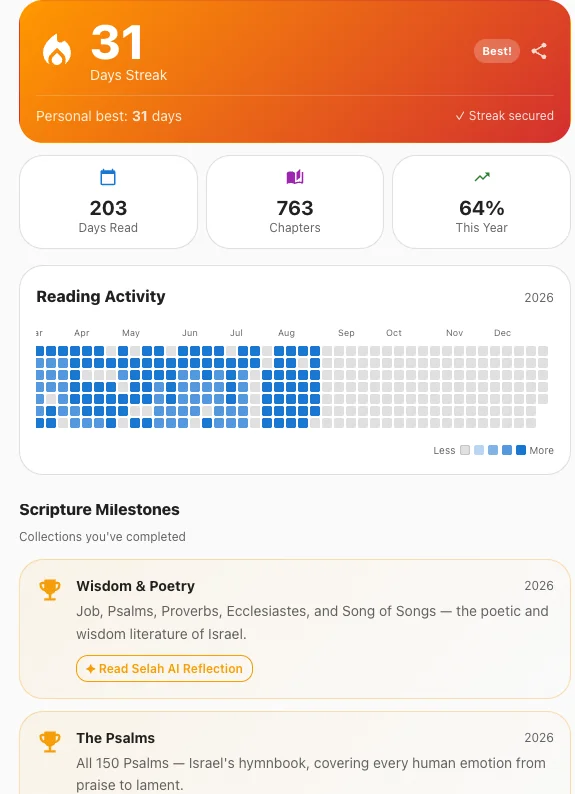
Watch the habit build over time — reading days, progress and milestones you’ve reached.
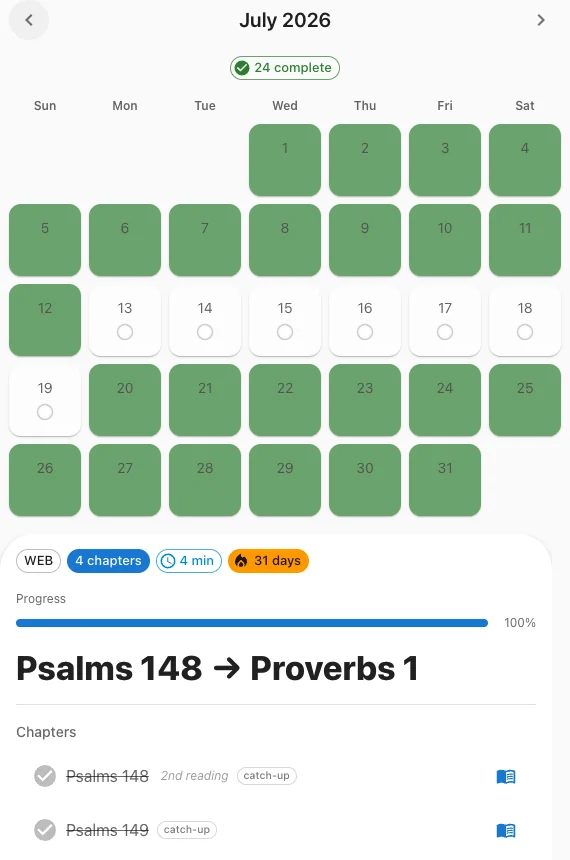
Miss a day? Scriptuary redistributes your reading so you can keep moving without starting over.
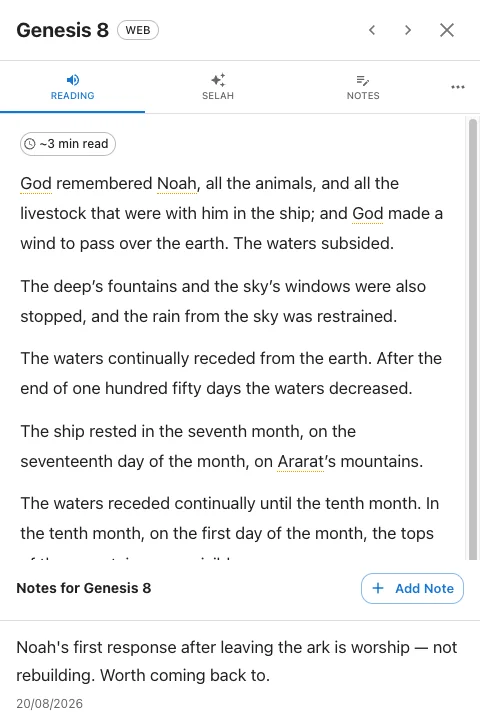
Highlight what matters, write it down, and get context when you want it.
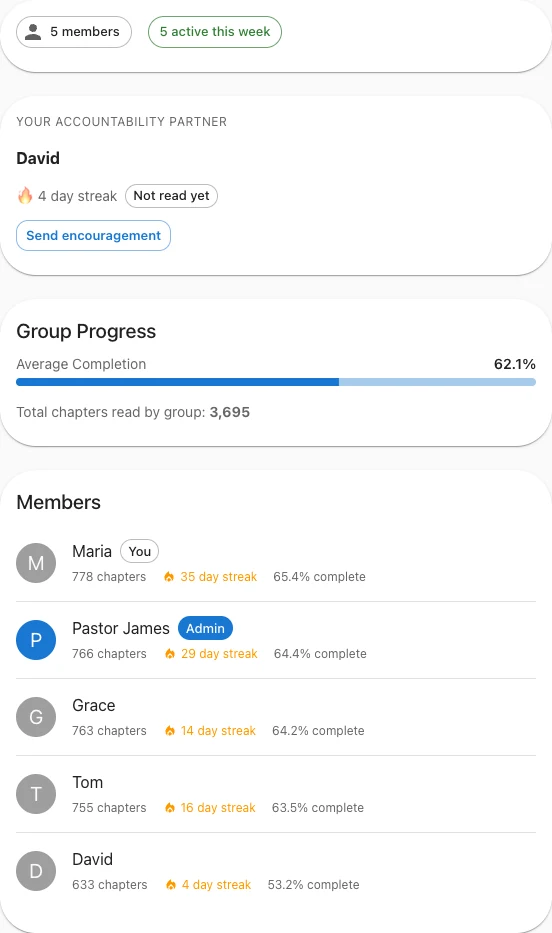
Share the journey with a group, encourage one another and stay accountable.
Why Scriptuary
Stay on Track, Automatically
Miss a day or fall behind? Your plan recalculates automatically — a catch-up window covers missed days, and grace days protect your streak. No guilt, no starting over.
Follow a Reading Plan
Structured paths through Scripture — from the Gospels to the full Bible. Pick the pace and translation that fit your life.
Read with Others
Join a group, share notes, stay accountable. Organisations can coordinate reading across entire churches.
Understand and Reflect
Ask questions, get historical context, and reflect more deeply with Selah — tailored to your knowledge level. Selah illuminates the text; it doesn't replace it.
How it works
Pick a plan and pace
Choose from 8 reading plans — sequential, chronological, Gospels-first, and more — and a pace that fits your schedule.
Read a few chapters a day
Typically 3 chapters on weekdays and 4 on weekends — and Scriptuary adjusts automatically if you fall behind.
Go deeper when you want to
Ask Selah about today's passage, journal a reflection, or discuss with your group — entirely optional, always there when you want it.
Have an invite code?
Enter your group invite code to join automatically after signing in.
Frequently asked questions
Is Scriptuary free?
Yes — the Free plan covers a full reading plan, calendar, stats, pronunciation guide, and commentary. Selah AI, prayer diary, and group features are part of Plus and Leader, both with a 14-day free trial.
How much time does it take each day?
Most plans assign 3 chapters on weekdays and 4 on weekends — typically 10–15 minutes. Choose a plan and pace that fits your life; you can adjust anytime in Settings.
What if I fall behind?
Scriptuary recalculates your schedule automatically so you're never stuck. A configurable catch-up window covers missed days, and grace days (earned via referrals) protect your streak.
Which Bible versions are available?
NIV, ESV, KJV, WEB, BSB, ASV, NKJV, NLT, CSB, NASB, AMP, MSG, and YLT — switch anytime in Settings.
Is there more than the daily chapters — background, context?
Yes — Commentary draws on centuries of writing from the early church (Augustine, Jerome, and more), and Cross-References surfaces related passages across Scripture with AI-generated notes on why they connect. Both are free for every reader.
Can my church or small group use this together?
Yes. Groups can follow the same plan, see one another's progress, discuss readings, and encourage one another. Leaders get additional tools for managing and supporting their group — see Pricing for what's included at each tier.
Meet Selah
AI designed to help you go deeper into Scripture — not replace it.
Scripture first
Selah starts with the passage in front of you, not a blank chat box.
Grounded in commentary
Where helpful, Selah draws on historical Christian commentary rather than relying only on what an AI model happens to remember.
Checks Scripture references
Generated references are checked for valid books, chapters and verses. Selah is still AI and can make mistakes.
Shows its sources
When commentary or cross-references shape an answer, Selah names them right there — grounding you can see, not just take on faith.
Personal to your reading, if you want it
Selah can use your reading history and notes to personalise answers — entirely opt-in.
We're continuing to make Selah more grounded — expanding the historical commentary and cross-references it can draw on.
Works on Mac and iPhone
Use Scriptuary in Chrome, Firefox, or Safari on Mac, and in Safari on iPhone — install it to your Home Screen for an app-like experience.Already have an account? Sign in
Privacy Policy · Terms of Service